
Whether you edit videos, design brand assets, build websites, or simply need polished presentation templates, Envato Elements is one of the most well-known creative asset subscriptions on the market. But is it actually worth paying for in 2026? This review breaks down what Envato offers, how the library holds up across different use cases, a full pricing breakdown, what the honest drawbacks are, five solid alternatives, and a plain final take.
There are two kinds of creatives in the world: the ones who spend hours hunting for the right font, texture, or video template across a dozen scattered websites, and the ones who open one subscription and find what they need in minutes. Envato Elements was built for the second type of person. The idea is simple: pay a flat monthly or annual fee and get unlimited access to an enormous library of creative digital assets that you can use across personal and commercial projects.
Envato, the Australian company behind it, has been in the creative marketplace business since 2006. Over two decades, it has built two distinct products that often get confused with each other: Envato Elements, the subscription-based unlimited download platform, and Envato Market, the per-item marketplace where premium assets are sold individually. Understanding the difference between the two matters when you are deciding whether a subscription is the right call for your specific workflow.
This review focuses on Envato Elements, which is the product most creatives and businesses are evaluating when they ask whether Envato is worth it.
What Is Envato Elements?
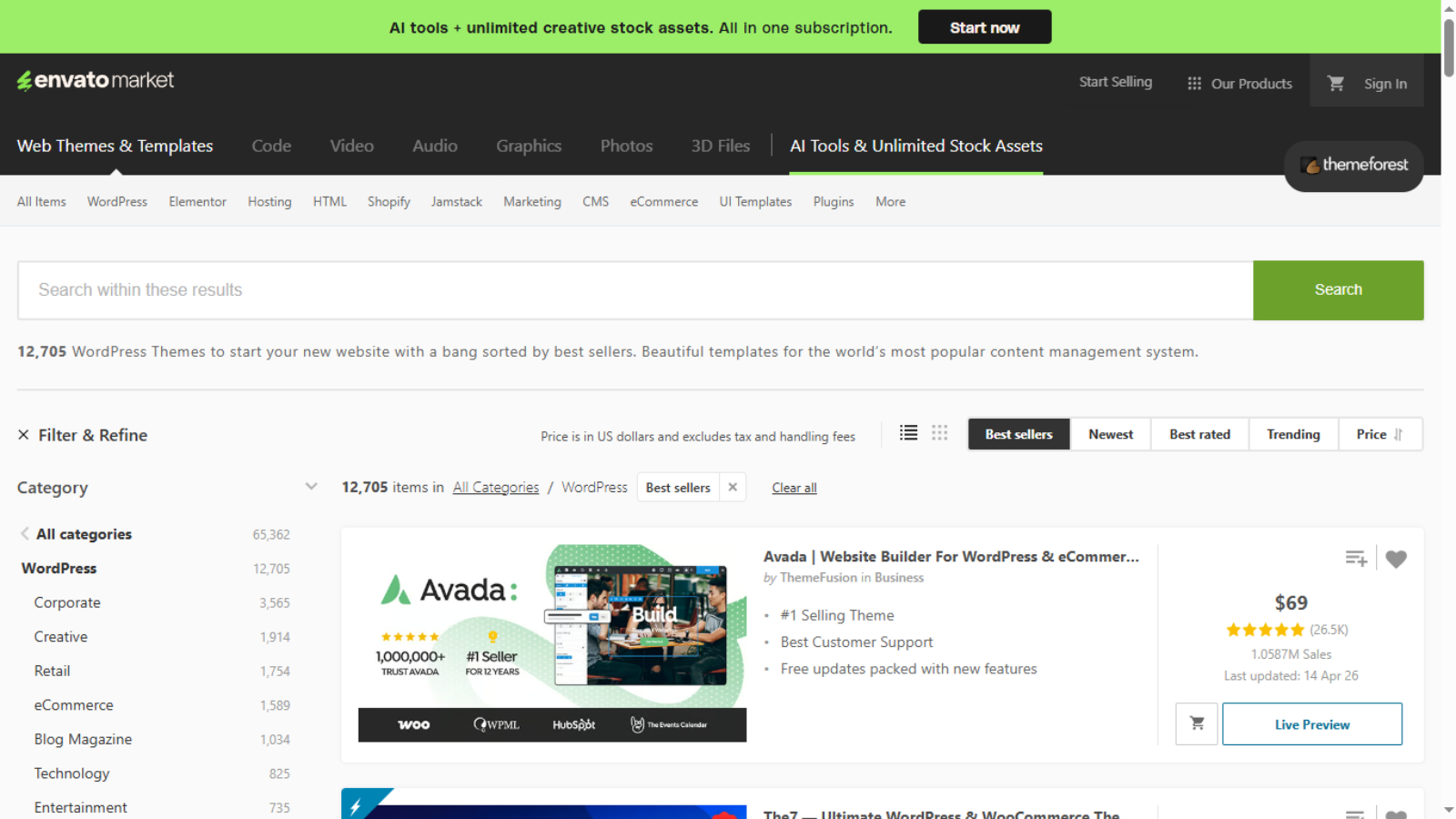 Envato Elements is a subscription service that gives paying members unlimited downloads from a library of over 27 million creative assets. The range is genuinely broad: stock photos, video footage, motion graphics, video transitions, LUTs, Premiere Pro and After Effects templates, Final Cut Pro assets, DaVinci Resolve presets, royalty-free music tracks, sound effects, Photoshop templates, Illustrator graphics, fonts, icons, 3D models, Lottie animations, WordPress themes, website templates, presentation decks, social media templates, email templates, and more.
Every asset in the library is covered by a single commercial license included in your subscription, so you can use what you download in client projects and commercial work without purchasing separate licenses for each item. New assets are added to the library daily by a global community of designers, editors, and developers who earn royalties based on usage.
In more recent years, Envato has also added a growing suite of AI tools to the platform, covering image generation, image editing, video generation, voiceover creation, and music generation. These are built directly into the Elements dashboard and are included in higher-tier plan subscriptions.
The Asset Library: Strengths and Honest Weaknesses
For Video Editors
This is where Envato Elements genuinely earns its reputation. The video-specific asset library is one of the largest available from any single subscription service. Premiere Pro users in particular will find hundreds of thousands of options across templates, transitions, title animations, LUTs, lower thirds, intros, and motion graphics. After Effects templates are similarly extensive. Final Cut Pro and DaVinci Resolve users are supported too, though with a somewhat smaller selection than Adobe users get.
If you regularly produce video content, the amount of time Envato Elements can save you in sourcing, purchasing, and licensing individual assets is substantial. A single After Effects template from Envato Market might cost $20 to $50 on its own. With Elements, you download as many as your current projects require under one flat fee.
Where video editors will find some friction is in stock footage. The quantity is enormous, but the curation is inconsistent. You will often need to sort through a fair amount of low-quality footage to find something usable, which defeats some of the time-saving purpose. If stock footage is your primary reason for considering the subscription, platforms like Artlist or Storyblocks are more curated alternatives worth comparing.
For Graphic Designers
The design asset library is similarly vast. Mockups, Photoshop and Illustrator templates, textures, overlays, brushes, icon packs, font families, color palettes, and 3D models are all available in high volume. For a working designer who burns through reference assets and template starting points regularly, the sheer selection becomes genuinely useful rather than overwhelming over time.
An Inspo Gen feature within the platform displays assets in a flowing visual layout so you can browse by feel and inspiration rather than keyword search. For designers in the early stages of a brief, this kind of visual browsing mode is actually a practical tool for sparking creative direction quickly.
One honest caveat from real user feedback: website and WordPress templates within Elements are sometimes seen as lower quality compared to what is available on Envato Market. If high-end, well-maintained web themes are what you need, the per-item marketplace may be a better fit than the subscription library.
For Business Users and Non-Designers
Envato Elements is more useful for non-creative business users than it might initially appear. Presentation templates for Keynote, PowerPoint, and Google Slides are plentiful and genuinely polished. If you need to pitch a client, present data to stakeholders, or produce a business proposal that looks designed rather than default, the templates here will save you meaningful time.
Social media templates, email marketing templates, and web design kits give business owners and marketing teams the ability to produce professional-looking content without hiring a designer for every asset. Combined with the video and graphic templates, Envato Elements becomes a practical creative toolkit for entrepreneurs and small marketing teams who need output volume without the overhead of a full creative department.
AI Tools: Promising but Still Developing
Envato has invested notably in building AI tools into the Elements platform. Image generation, video generation, a voiceover tool, music generation, and AI photo editing are all available within the subscription. This is one of the more comprehensive AI toolsets bundled into a single creative subscription compared to most competitors.
In practice, the tools are at different stages of polish. The music generation tool produces decent background tracks quickly and matches style and tone reasonably well, though the generated tracks tend to lack the variation and dynamics of human-produced music. For simple background audio needs, it is a usable option. For anything requiring genuine musical presence, licensing a human-made track from the library remains more effective.
The image generation tool works but requires more iteration than some standalone image generation tools to get to a usable result. The voiceover tool is functional, handles most words correctly, and works well enough for basic narration needs, though specialized AI voice tools will outperform it for demanding voiceover use cases. Video generation is available but slower than most users would like.
The AI suite at its current stage is a meaningful bonus feature rather than a core reason to subscribe to Envato Elements. That said, Envato is iterating on these tools and AI generation limits vary by plan tier, so the value here is likely to improve over time.
What Is Envato Market and How Is It Different?
Envato Market is the per-item marketplace where premium creative assets are sold individually. This is where you will find the highest-quality themes, plugins, audio tracks, and templates, many of which are not included in the Elements subscription at all. Envato Market and Envato Elements are separate products and a subscription to Elements does not grant access to Market items.
The right choice between the two depends on your workflow. If you need a large volume of assets regularly across multiple projects and types, Elements’ flat-fee unlimited model saves money quickly. If you need one or two specific, high-quality assets for a particular project and are happy to buy them individually, Envato Market is the better fit. Many professionals end up using both for different needs.
Envato Elements Pricing (Simple Breakdown)
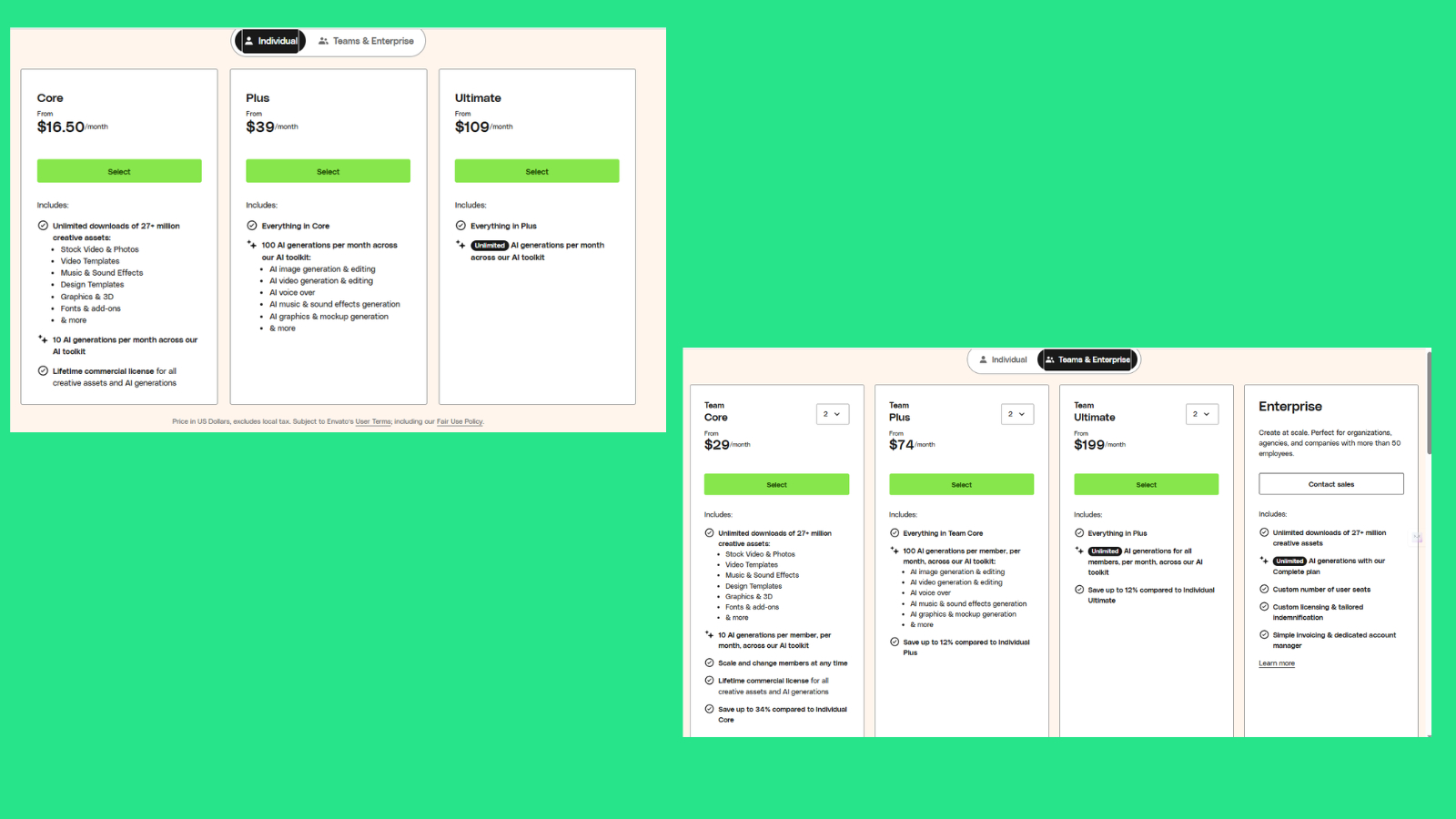
Envato Elements keeps things pretty straightforward. No matter which plan you pick, you get unlimited downloads from 27+ million assets and a commercial license. The main difference between plans is how much you can use their AI tools.
Individual Plans
- Core – from $16.50/month (annual)
This is the basic plan and enough for most people. You get unlimited assets plus 10 AI generations per month. - Plus – from $39/month
Same as Core, but with 100 AI generations per month. Good if you actually plan to use AI features regularly. - Ultimate – from $109/month
Everything in Plus, but with unlimited AI generations. This is for heavy users who rely on AI a lot.
Team Plans
- Team Core – from $29/month
Same as Core, but for teams. Each member gets 10 AI generations per month. - Team Plus – from $74/month
Includes 100 AI generations per member/month and everything in Team Core. - Team Ultimate – from $199/month
Gives unlimited AI generations for all members.
Enterprise Plan
Custom pricing for large companies (50+ users). Includes everything plus dedicated support and flexible licensing.
What Actually Matters
- All plans = same assets + unlimited downloads
- You’re mainly paying more for extra AI usage
- If you don’t care about AI, Core is enough
- If you use AI often, Plus or Ultimate makes more sense
One useful detail: even if you cancel, anything you already downloaded and used stays licensed for those projects.
Things Worth Knowing Before You Subscribe
A few genuine considerations that come up consistently in Envato reviews from real users. First, the licensing system requires you to create a new license for each project you use an asset in, even if it is the same asset. If you use the same music track in multiple YouTube videos, for example, you need to generate a new license for each video. This is an administrative overhead that some users find frustrating, particularly for high-output workflows.
Second, Envato’s “unlimited” language comes with a fair use policy attached. The platform reserves the right to investigate usage it considers excessive, and some users have reported unexpected restrictions when downloading at very high volumes. For the majority of working creatives, this will never be an issue, but it is worth being aware of.
Third, large project files are a storage reality. Many of the Photoshop, Illustrator, and After Effects templates are substantial file sizes. If you work from a device with limited local storage, this can become a logistical consideration.
5 Envato Alternatives Worth Considering
1 Artlist
A creator-focused subscription platform offering high-quality royalty-free music, sound effects, stock footage, and motion graphics, with notably stronger curation and a direct YouTube channel clearance system that gives video creators more copyright peace of mind than Envato offers.
2 Epidemic Sound
The go-to subscription for music and sound effects among YouTube and social media creators, with a curated library of human-made tracks, direct platform integration for content ID clearance, and audio quality that consistently outperforms Envato’s royalty-free music offering.
3 Adobe Stock
Adobe’s premium stock asset subscription integrates natively with Creative Cloud apps including Photoshop, Premiere Pro, and After Effects, making it the most frictionless choice for Adobe-centric workflows where assets can be licensed and imported directly without leaving the application.
4 Storyblocks
A video-first subscription platform offering unlimited downloads of stock footage, video templates, and audio tracks with a smaller but better-curated video library than Envato, making it a strong alternative for video producers who prioritize footage quality over breadth of asset types.
5 Creative Market
A per-item marketplace similar in spirit to Envato Market rather than Elements, offering a highly curated selection of fonts, graphics, templates, and design bundles created by independent designers, with consistently stronger quality control than Envato’s broader community-contributed library.
Final Thoughts: Is Envato Worth It?
Envato Elements is one of the best value creative asset subscriptions available right now, particularly when you factor in the annual pricing. At around $16.50 per month billed annually, the sheer volume of what is available is hard to argue against for any creative professional with ongoing asset needs across multiple project types.
The platform works best for video editors who need a deep, constantly updated library of templates, transitions, and editing assets for Adobe applications. It works well for graphic designers who need access to broad range of mockups, fonts, graphics, and design templates. And it delivers genuine value for business users and small marketing teams who need polished presentation and social media templates without the overhead of a full design workflow.
Where Envato shows its limits is in curation. The library prioritizes volume over quality in some categories, particularly stock footage and royalty-free music. For creatives where those specific categories are mission-critical, Artlist or Epidemic Sound will serve them better. The AI tools are a welcome addition but are still maturing, and the licensing administration around per-project relicensing adds friction that power users will notice.
As a single subscription covering the widest range of creative asset types from one platform, though, Envato Elements is difficult to beat at its price point. The question is not really whether the library has what you need. It almost certainly does. The question is whether the quality within the categories you use most often is good enough for your standards. If it is, the annual subscription pays for itself quickly.
Frequently Asked Questions About Envato
What is the difference between Envato Elements and Envato Market?
Envato Elements is a subscription service giving unlimited downloads from a library of over 27 million assets under a flat monthly or annual fee. Envato Market is a separate per-item marketplace where premium assets are sold individually, often at higher quality and specificity than what is available through the subscription. A subscription to Envato Elements does not include access to items sold exclusively on Envato Market. Many users use both products for different purposes depending on whether they need volume access or a specific high-quality item.
How much does Envato Elements cost?
Envato Elements for individuals costs $33 per month on a monthly basis, or around $16.50 per month when billed annually at $198 per year. Team plans start at around $10.75 per member per month for teams of five, with the per-seat price scaling based on team size. Students can get 30% off the Core plan with a valid educational email. A Plus plan with 100 monthly AI generations and an Ultimate plan with unlimited AI generations are also available at higher price points. Enterprise pricing is available on request for larger organizations.
Can I use Envato Elements assets for commercial projects?
Yes. Every asset you download through an active Envato Elements subscription is covered by a commercial license included in your subscription at no extra charge. This means you can use downloaded assets in client work, commercial videos, paid advertising, and business projects. One important detail: you need to create a separate license for each distinct project you use an asset in, even if it is the same asset used in multiple projects. Assets you have already licensed remain usable for their original projects even after your subscription ends.
Does Envato Elements have a free trial?
What happens to downloaded assets if I cancel my subscription?
When you cancel an Envato Elements subscription, any assets you have already downloaded and licensed during your active subscription period remain yours to use in the projects they were originally licensed for. You will not lose the rights to work you have already completed or published. However, your ability to download new assets and generate new licenses ends when your subscription expires. You retain access to the platform until the end of your current billing period after cancellation, so you have time to download anything you need before your access closes.